

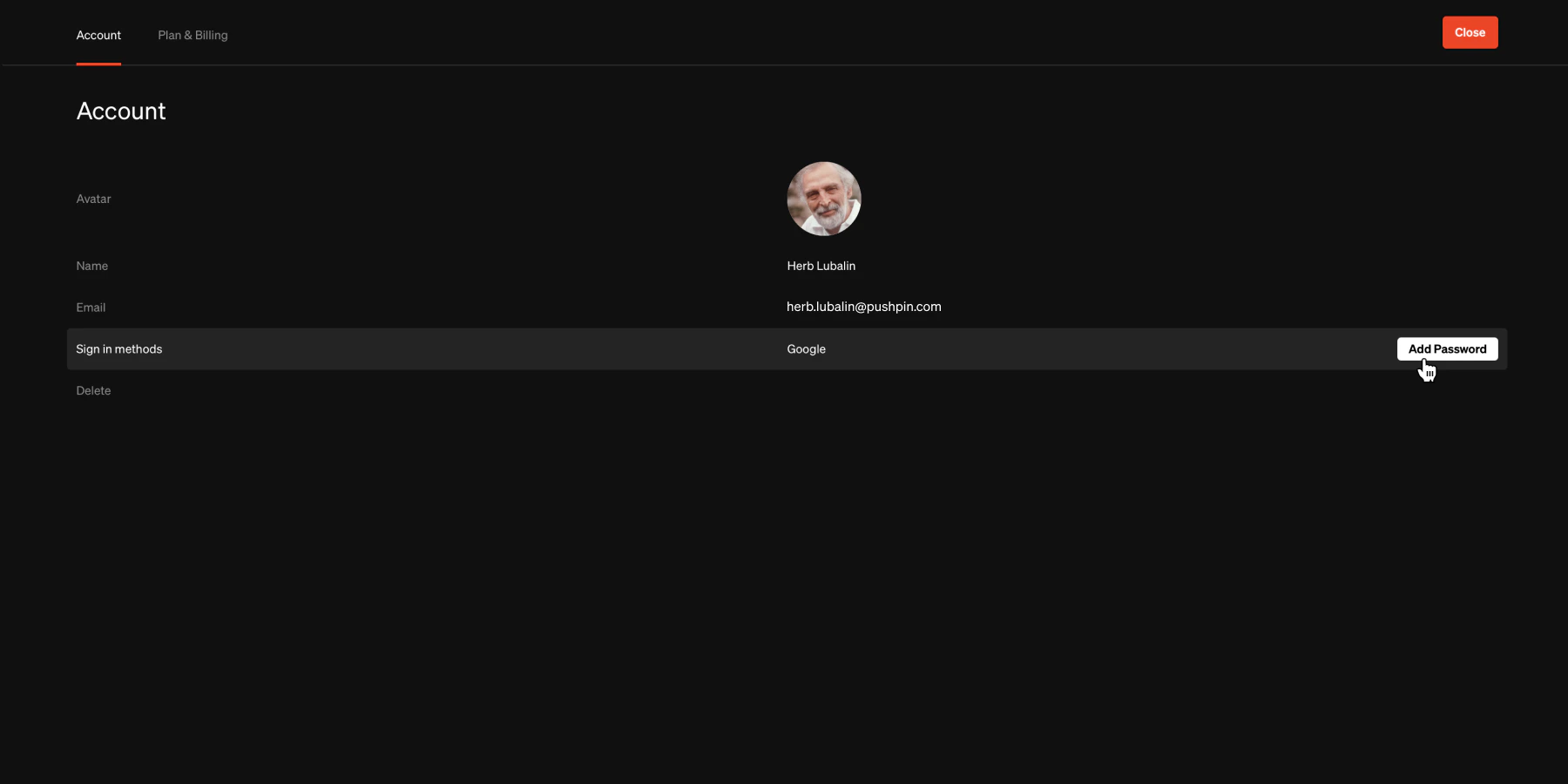
Update name
1
Sign into Standards to enter the dashboard
Hover over the top-right avatar and select Account
2
From the Account page
Hover over Name and select
Edit3
Update name
In the prompt, enter the name you would like then select
SaveUpdate avatar
1
Sign into Standards to enter the dashboard
Hover over the top-right avatar and select Account
2
From the Account page
- Hover over the **Avatar image area **and select it, then choose a file from your system’s fike browser
- To remove an existing avatar to reset it to default, select
Reset
Update email address
To change your email address, send an email to [email protected] with your request. Make sure to send the email from your account email address.Update password
1
Sign into Standards to enter the dashboard
Hover over the top-right avatar and select Account
2
From the Account page
Hover over Sign-in methods and select
Change password3
Change password
In the prompt, enter current password and new password, then select
Change passwordTip: To change from SSO such as Google to email and password, enter a password by selecting ‘Add password’ on the Sign in methods list time.
Delete account
Caution: This will permanently delete all projects, files, workspaces you own, and data. This cannot be undone.
1
Sign into Standards to enter the dashboard
Hover over the top-right avatar and select Account
2
From the Account page
Hover over Delete and select
Delete account3
Confirm
In the prompt, enter the requirements to confirm your decision, then press
Delete accountTroubleshooting
Can I use Google and Microsoft SSO?
Can I use Google and Microsoft SSO?
Google & Microsoft Single Sign-On (SSO) are a feature that allows users to log in to multiple applications using their Google or Miscrosoft credentials. It eliminates the need for users to create separate usernames and passwords for each application they use, making the login process more convenient and secure. You can enable this feature by signing on with a Google or Miscrosoft account or you can disable by removing the password.
How do I sign out of my Standards account?
How do I sign out of my Standards account?
Hover over the top-right avatar and select Sign out