

Enterprise
Control who can access your published projects and MCP servers.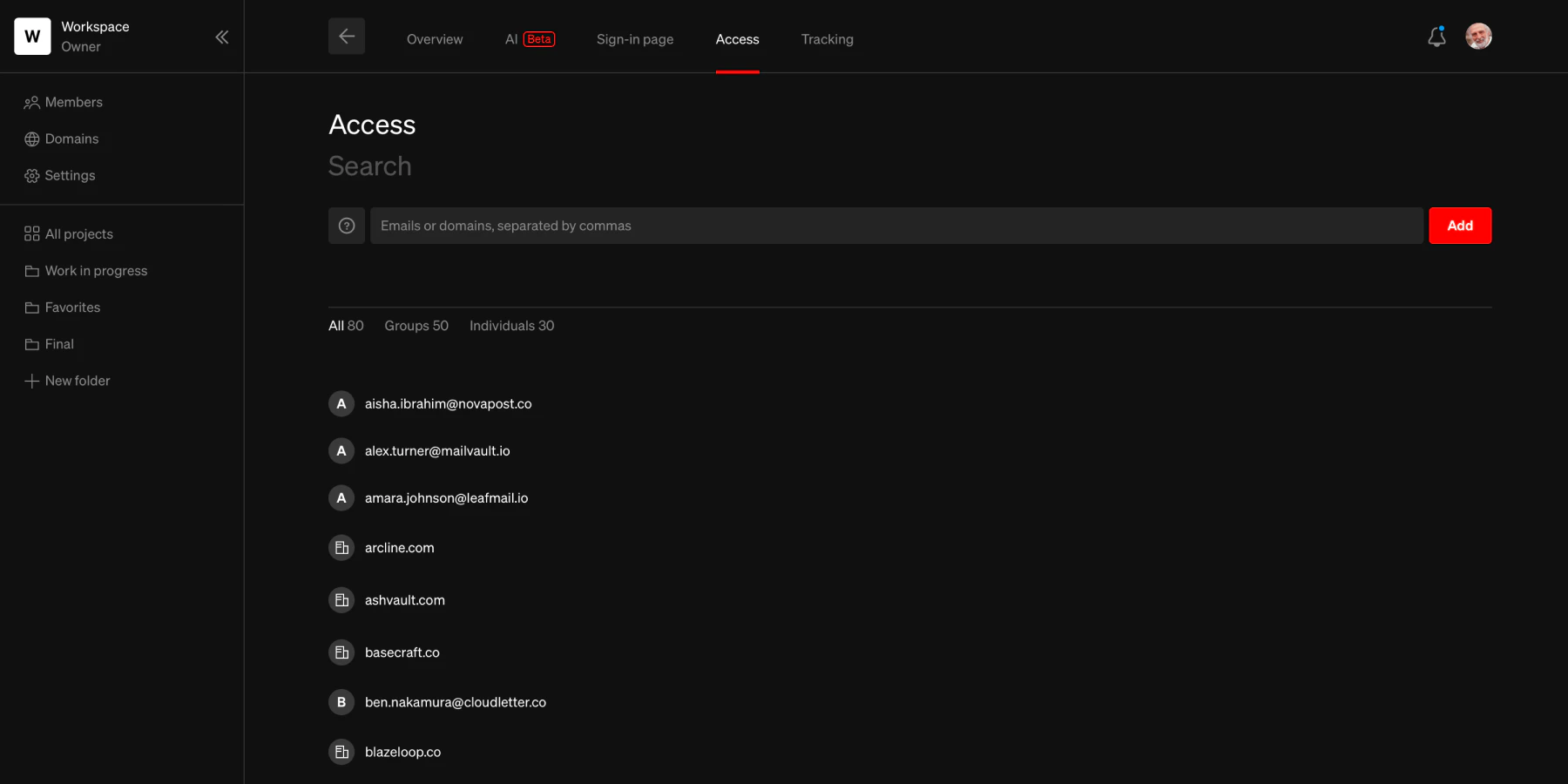
What is the access list?
The access list defines the individuals and email domains (anyone with an email that uses the domain) allowed to access your project. It is used by projects published with the Sign-in required security setting and by MCP servers configured with the Sign-in required option. In both cases, a visitor’s email domain or specific email address must appear in the access list before they can connect. Projects published with Logged public access also track who has viewed, but do not use the access list to restrict entry. Projects published with No restrictions, Plain password protected, and Secure embed security types do not use the access list because they don’t require Standards accounts.When the access list applies
- Sign-in required (publishing) Enterprise Visitors must sign in using their credentials to view the project. Their email domain or specific email must be in the access list.
- Sign-in required (MCP) Enterprise AI tools connecting to an MCP server with sign-in required must authenticate with credentials that match the access list.
Manage access
When your project uses Sign-in required for publishing or MCP, manage who has access from the Access tab in the project details.1
Go to project settings
From the Standards dashboard, select the project you want to manage
2
Navigate to Access tab
Select the Access tab from the top tabs
3
Manage access
Add and remove individual emails and email domains.
Keep in mind
- The access list is shared between project publishing and MCP. Adding someone to the access list grants them access to both the published project and the MCP server when either uses the Sign-in required setting.
- Access list entries are retained even when the project is changed to another security option or unpublished.
- Projects published with No restrictions, Plain password protected, and Secure embed security types do not use the access list because they don’t require Standards accounts.
FAQ
What is an email domain?
What is an email domain?
An email domain is the part after the @ sign — so in [email protected], the domain is acme.com. When you grant access to a domain, anyone with an email address at that domain (i.e., anyone at that company) can access your site.
What is an individual?
What is an individual?
This is a single email address, so just that one person would be granted access
Does changing the security type delete the access list?
Does changing the security type delete the access list?
No, the access list will be retained no matter what settings and preferences are changed on the project.