

Overview
After signing in to Standards, the first view is the Dashboard. From here, you can quickly navigate between workspace pages, projects, and your account. The projects and settings in this view are specific to each workspace.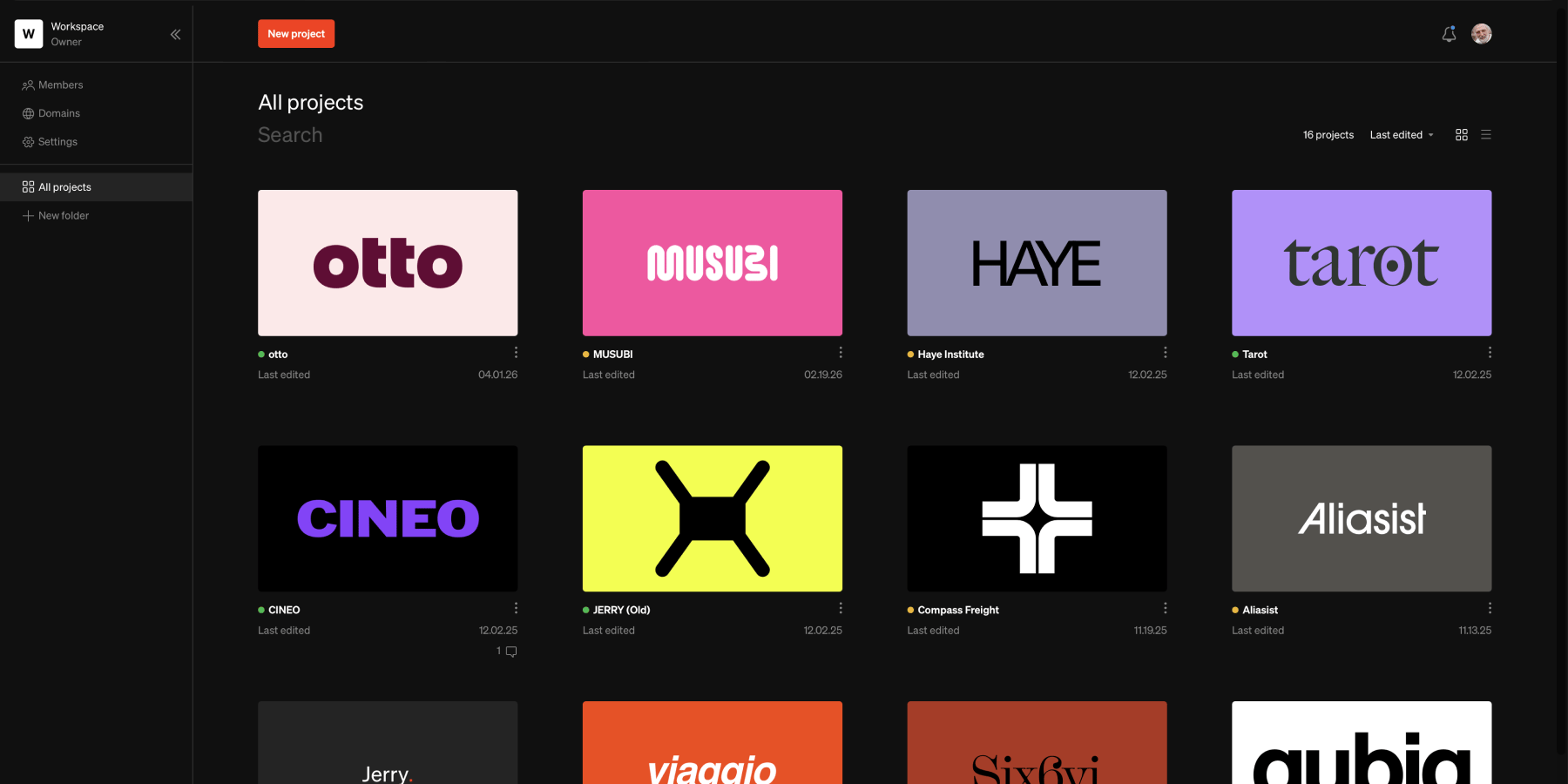
Navigating between workspaces
1
Choose workspace

2
New workspace
You may start a new workspace from the same menu by selecting
New workspaceLegacy version tip
Legacy version tip
Those using Standards before release 11.11 (when Folders were introduced) may have used multiple workspaces to group projects. For those customers, we recommend transferring projects to a consolidated set of workspaces, and grouping them into folders instead.
Projects & folders
Projects
View and manage projects within each workspace in one place. While All projects is the default view of the dashboard, Projects can be grouped within Folders and sorted for easy organization.Adding new projects
Select theNew project button in the dashboard top bar to start a new project.
Folders
Folders are used to organize projects by grouping them into separate pages within each workspace navigable from the sidebar. All folders are accessible by any Member of the workspace, and cannot be made private. Additionally, folders cannot be nested within other folders.Adding new folders
SelectNew folder in the left sidebar to create a new folder.