

Overview
Comments can be added to all projects from within the comment mode of the editor. All workspace members can leave and review comments. Comments can be replied to and when no longer needed, they can be resolved.- All workspace members can leave comments
- Workspace members can be mentioned using @ in the comment
- Comments can be resolved
Adding comments
1
Enter comment mode

2
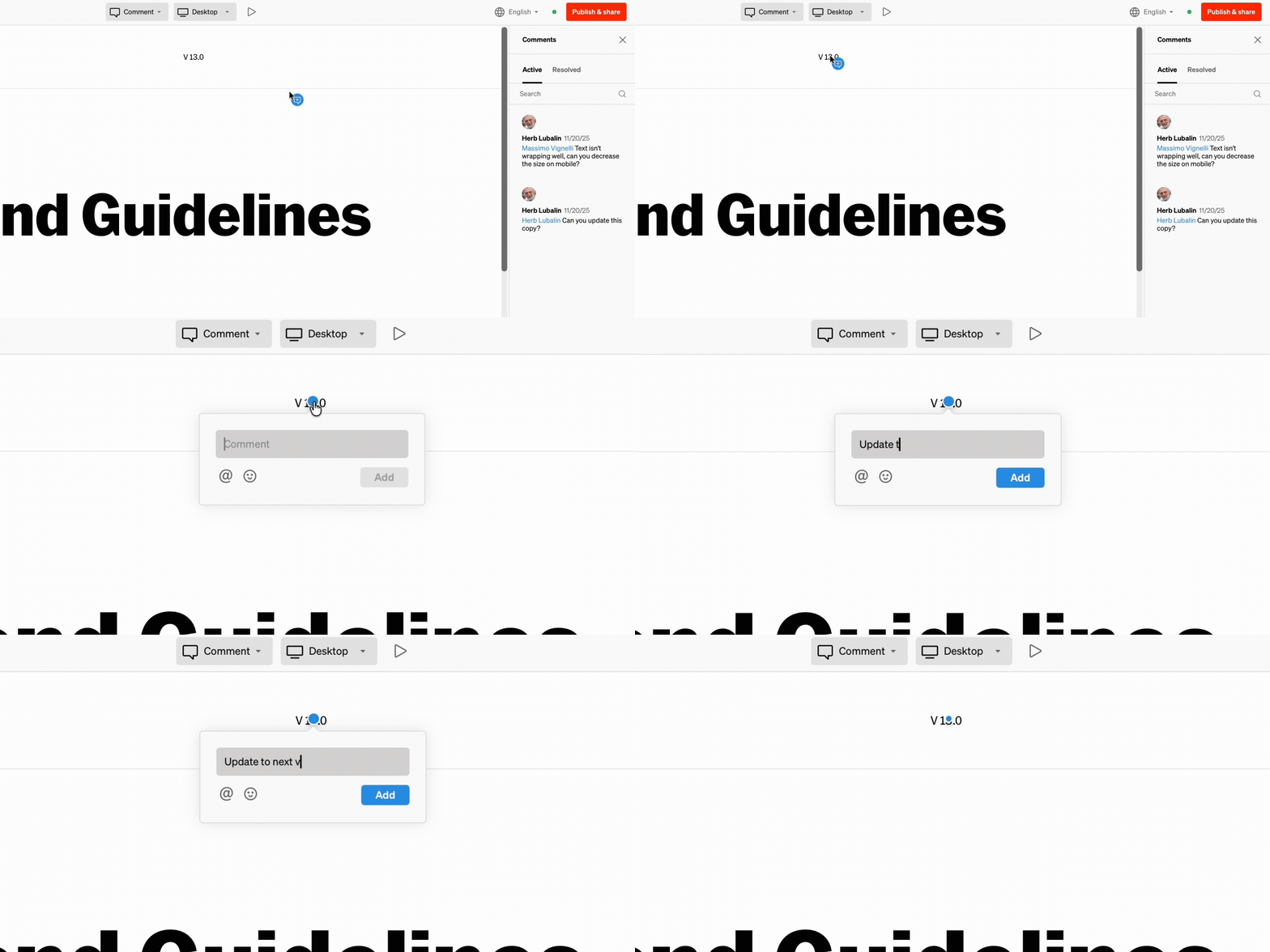
Select placement for comment
Select anywhere to place a comment
3
Enter comment
Type out your comment and use @ to mention teammates, and add emoji to express what words can’t
Reviewing comments
Comments are reviewed in two ways:- From within the dashboard alert inbox
- From within the comment mode of the the project
Alert inbox
1
Select bell icon from dashboard

2
Select comment

Comment mode
Hotkey 2
- Within the project editor, select the comment mode from the top bar dropdown
- In the right sidebar, all comments are listed in order by time
- Select any comment from within the body or the right sidebar
Resolving comments
Resolving comments will remove them from within the active comment list in comment mode, and from your alert inbox. This makes tracking outstanding versus old comments simple.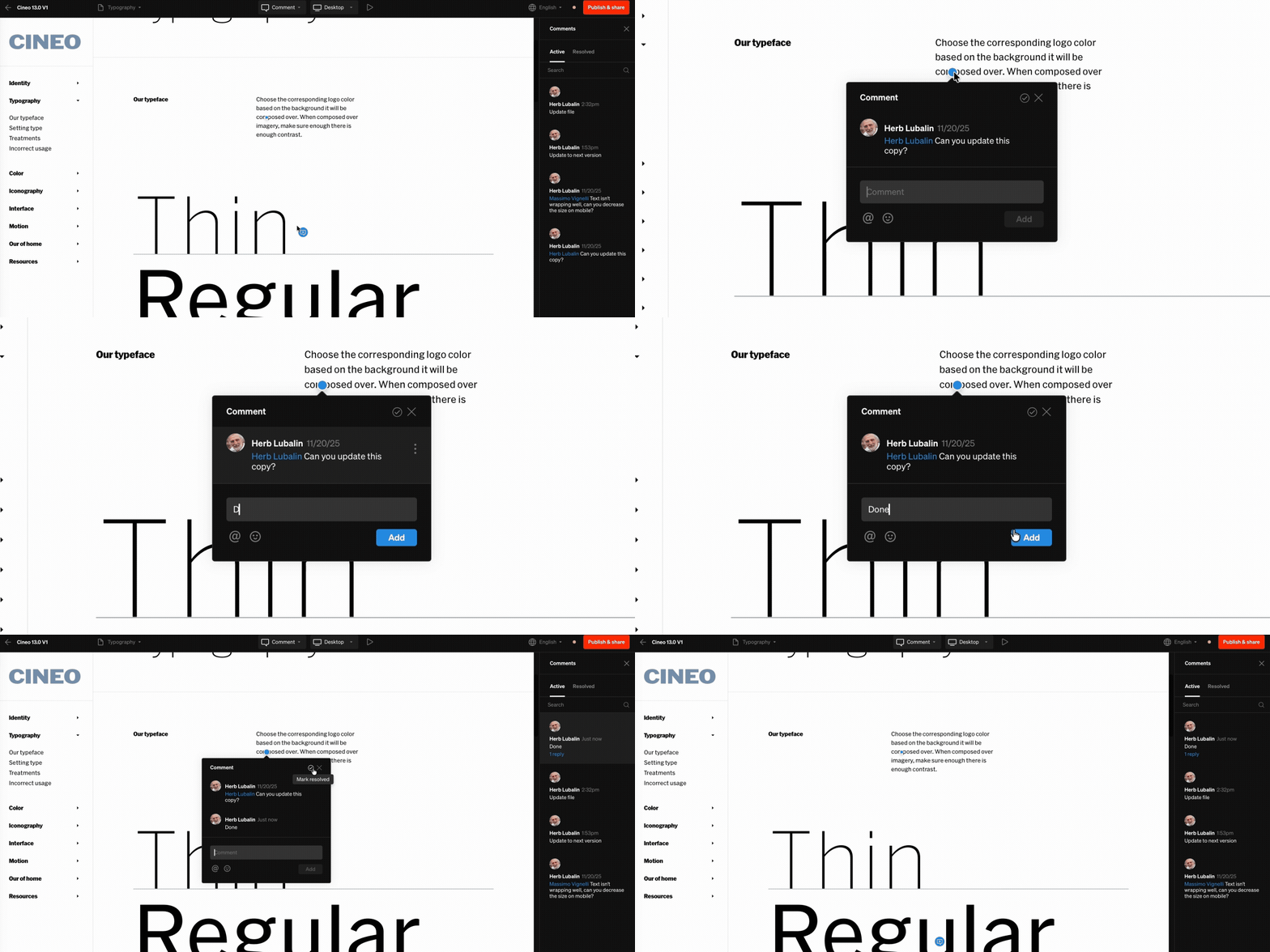
- Within the editor’s comment mode, comments can be resolved from the comment itself, and from the comment item in the right sidebar
- Select the check icon to resolve the comment
- Resolved comments can be reviewed from the right sidebar Resolved tab
- Resolved comments can be reverted back to Active by reselecting the check icon on the comment
Editing & deleting comments
You may find yourself needing to edit or delete comments you have made. This is helpful if you want to reword your comment or if it was added by accident.- Within the editor’s comment mode, select the comment you would like to edit or delete
- When hover on the open comment, select the 3 dot icon to the right
- Select edit or delete from the contextual menu