

What are viewers?
Viewers are individuals and groups that have been allowed to view a published project. Projects published with Sign-in required and Logged public access security types allow for broad and specific access to your published projects. Projects published with No restrictions, Plain password protected , and Secure embed security types do not track viewers because they don’t require Standards accounts to view.Viewer access
- No restrictions: Anyone can view the published site.
- Plain password protected: Anyone who knows the plain text password can view the published site. The project can have only 1 single plain password.
- Sign in required Enterprise Visitors must sign-in using their credentials to view the project. The email domain or specific user email must be allowed for them to gain access to view.
- Logged public access Enterprise Anyone can view the site but first must enter a valid email.
- Secure embed Enterprise Anyone that can access where the site is embedded can view it.
Manage viewers
Enterprise
When your project uses Sign in required view access is given specifically usually through the Publish & share window. Additionally, view access can be browsed and managed from within the project detailsMethod 1: Publish & share window

Method 2: Allowed viewers tab in dashboard
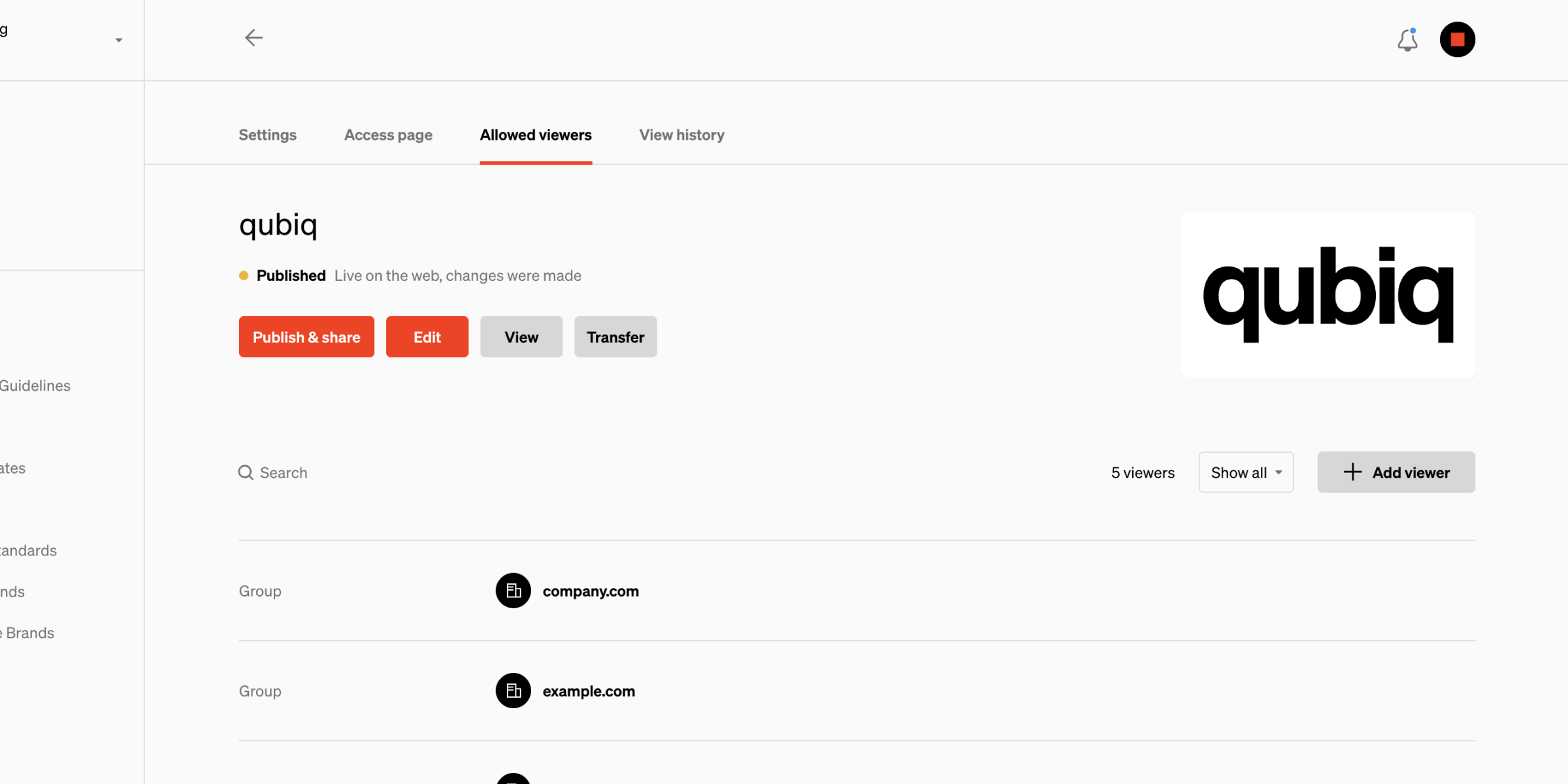
Keep in mind
- Viewers in the allowed viewers list are those that were given access with the Sign-in required access restriction option. This information is retained even when the project has been changed to another security option or the project is unpublished.
- Projects published with No restrictions, Plain password protected, and Secure embed security types do not track viewers because they don’t require Standards accounts to view.