> ## Documentation Index
> Fetch the complete documentation index at: https://help.standards.site/llms.txt
> Use this file to discover all available pages before exploring further.
# Custom Scripts
Enterprise
Standards supports custom scripts so you can add third-party tools like analytics platforms, chatbots, and tracking pixels to your published project.
***
## Adding scripts
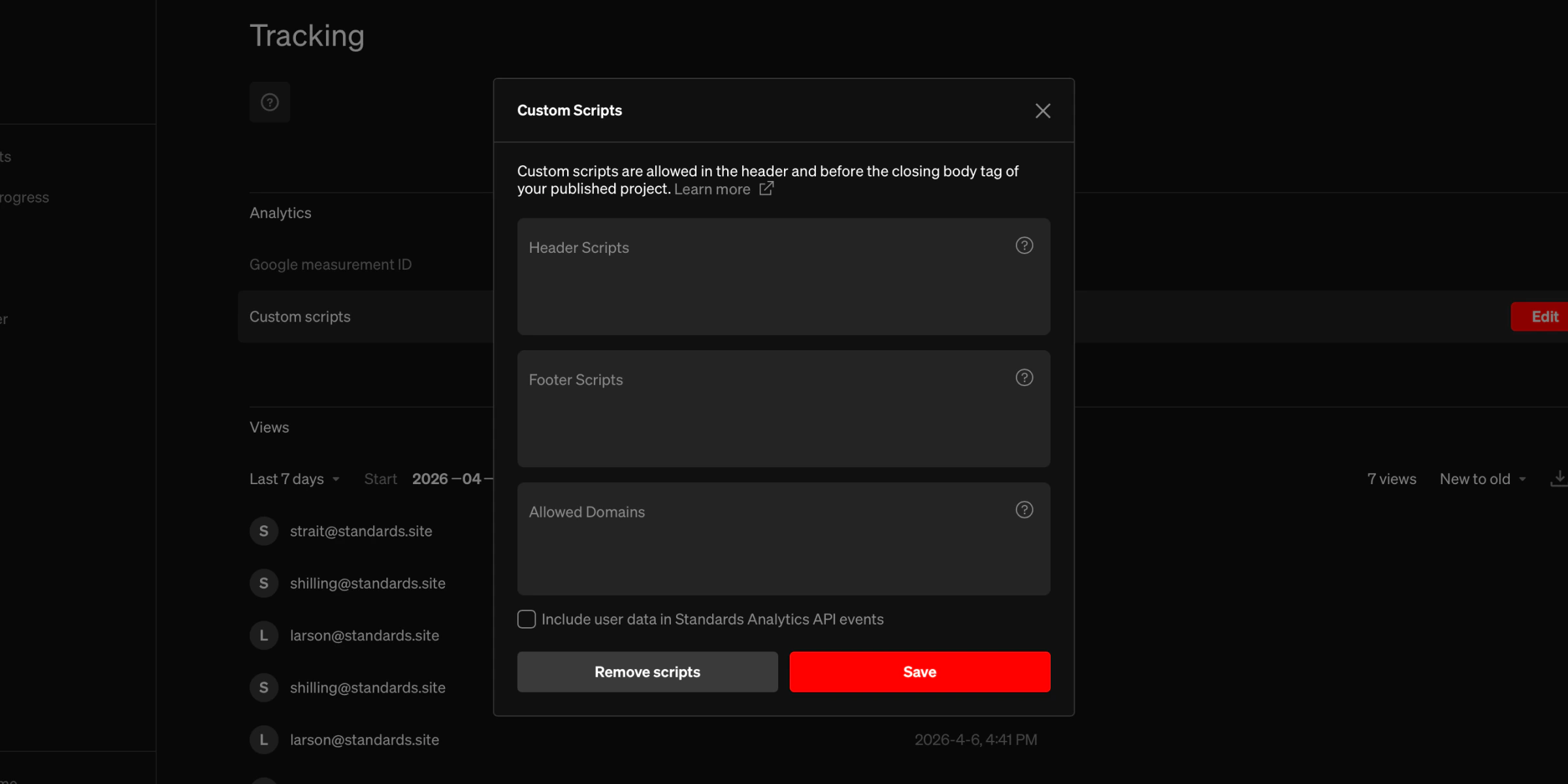 From the dashboard, select a project.
On the **Tracking** tab, select the `Edit` button on the right side of the custom scripts item.
Paste scripts into the fields in the custom scripts window. See below for more information.
### Header scripts
Scripts injected into the `` of your published project. Use this for tools that need to load early, such as analytics snippets or tag managers. Must be one or more valid `` blocks. For example:
```html theme={null}
```
### Footer scripts
Scripts injected before the closing `` tag. Use this for tools that don’t need to load until after the page content, such as chatbots or feedback widgets. Must be one or more valid `` blocks.
### Allowed domains
If your scripts need to load resources or make network requests to external domains, add those domains here. This updates the project’s Content Security Policy (CSP) to allow connections to and scripts from those domains. Enter one domain per line. Supports wildcards for subdomains:
```text theme={null}
https://example.com
https://*.analytics-provider.com
```
### Include user identity
When enabled, the Standards Analytics API will include the visitor’s email, user ID, and IP address in event data. This only applies to projects that require login (SSO, invite-only, or domain-restricted access). See the Standards [Analytics API](/analytics-api) for more details.
***
## Security
* Only valid `
From the dashboard, select a project.
On the **Tracking** tab, select the `Edit` button on the right side of the custom scripts item.
Paste scripts into the fields in the custom scripts window. See below for more information.
### Header scripts
Scripts injected into the `` of your published project. Use this for tools that need to load early, such as analytics snippets or tag managers. Must be one or more valid `` blocks. For example:
```html theme={null}
```
### Footer scripts
Scripts injected before the closing `` tag. Use this for tools that don’t need to load until after the page content, such as chatbots or feedback widgets. Must be one or more valid `` blocks.
### Allowed domains
If your scripts need to load resources or make network requests to external domains, add those domains here. This updates the project’s Content Security Policy (CSP) to allow connections to and scripts from those domains. Enter one domain per line. Supports wildcards for subdomains:
```text theme={null}
https://example.com
https://*.analytics-provider.com
```
### Include user identity
When enabled, the Standards Analytics API will include the visitor’s email, user ID, and IP address in event data. This only applies to projects that require login (SSO, invite-only, or domain-restricted access). See the Standards [Analytics API](/analytics-api) for more details.
***
## Security
* Only valid `